
Airbnb Listing Photos in Winter: A 5-Step Refresh for Cottages
If your cover photo was taken in July, it is still the first thing a winter guest sees in January. Here is why your first five Airbnb listing photos matter most this season, and a simple 5-step refresh you can do with your phone in one afternoon.
Why your Airbnb listing photos matter more in winter
Picture a guest on the couch in mid-December, phone in hand, looking for a cottage weekend. Your listing slides past. The first thing they see is a sunny dock and a swim ladder. They keep scrolling.
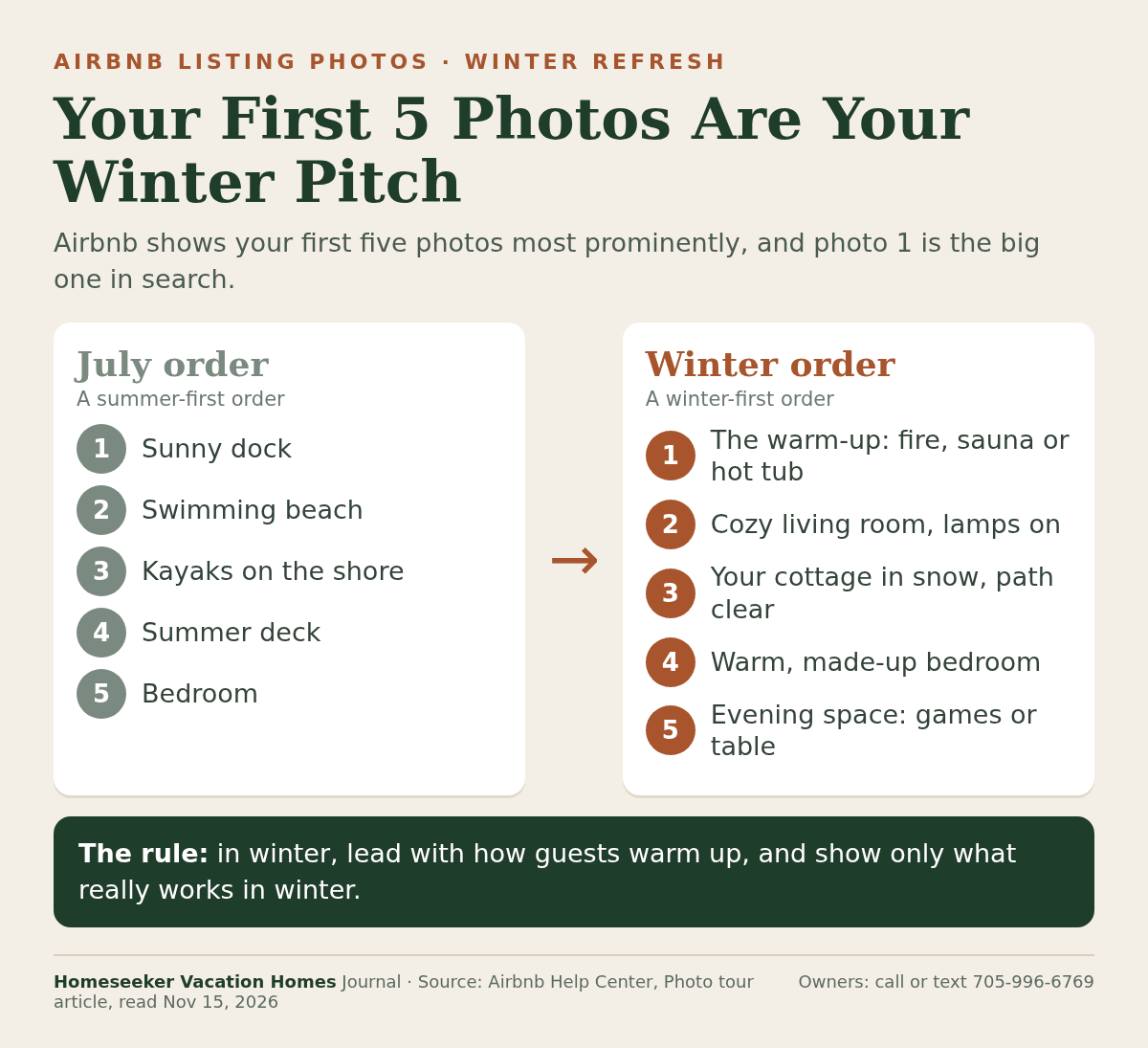
That first photo carries more weight than you might think. Airbnb's Help Center says your first five photos are the most important because they are shown prominently on your listing, and the first one is the large photo that appears in search.
So your Airbnb listing photos are not a gallery. The first five are a pitch, and in winter, a summer pitch answers the wrong question.
The problem: a July cover photo in January
If your listing was photographed on a perfect summer day, that makes sense. The lake is blue, the dock is out and the kayaks are lined up on the shore.
But a winter guest is not asking about swimming. They want to know if the place is warm, if they can get up the driveway after a snowfall and what they will do once it gets dark early. If your first five photos are all dock, beach and deck, they have to dig to find the answers, and some won't.
There is a second problem. If the dock is closed and the watercraft are stored for the season, those summer photos can set the wrong expectation for a winter stay.
The pattern: winter guests look for the warm-up
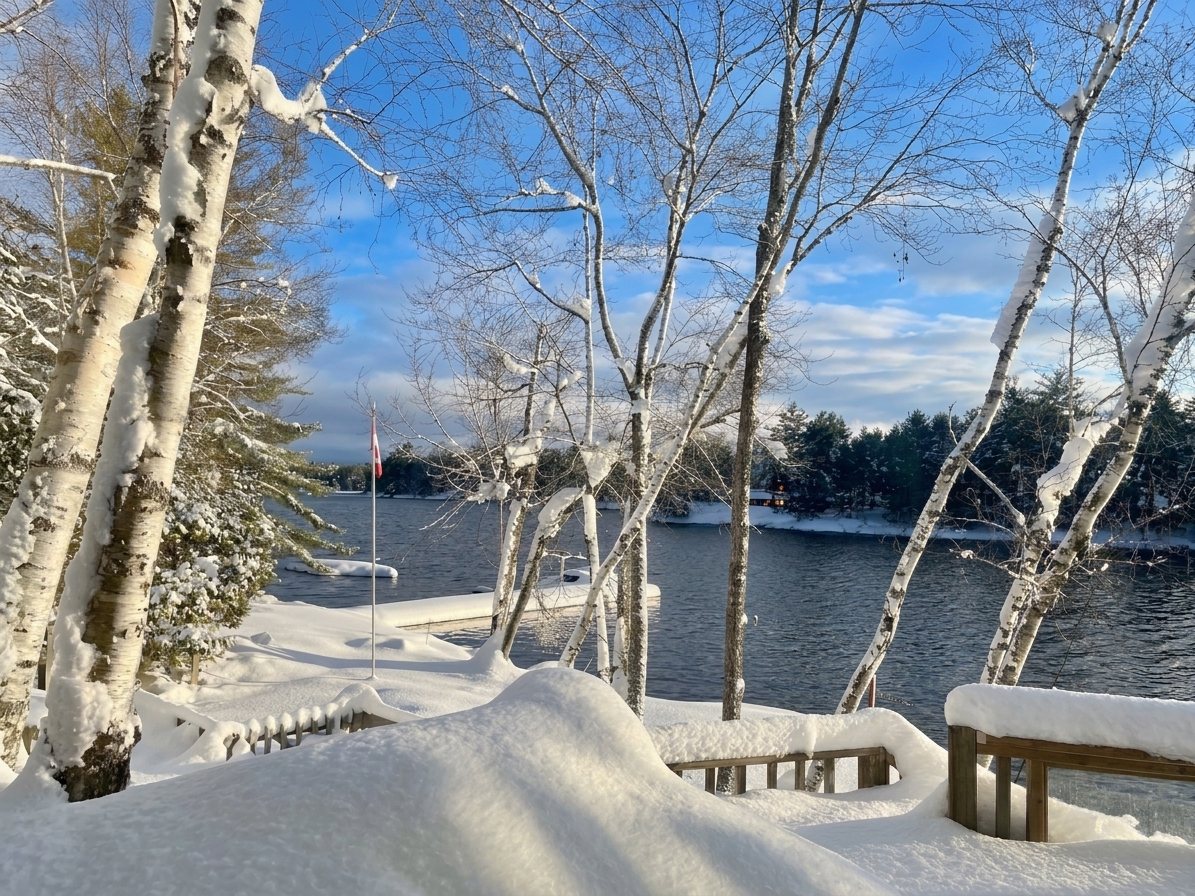
Here is the clue that changed how we think about winter photos. In January 2026, Airbnb published a list of some of the most wishlisted winter cabins in Canada. We counted what the ten listing titles promised. Five named a hot tub, a spa or a sauna. Not one used the word snow.
Guests already know there will be snow. What they save is how they will warm up after it. We broke this down for guests in our post on what the most wishlisted winter cabins share.
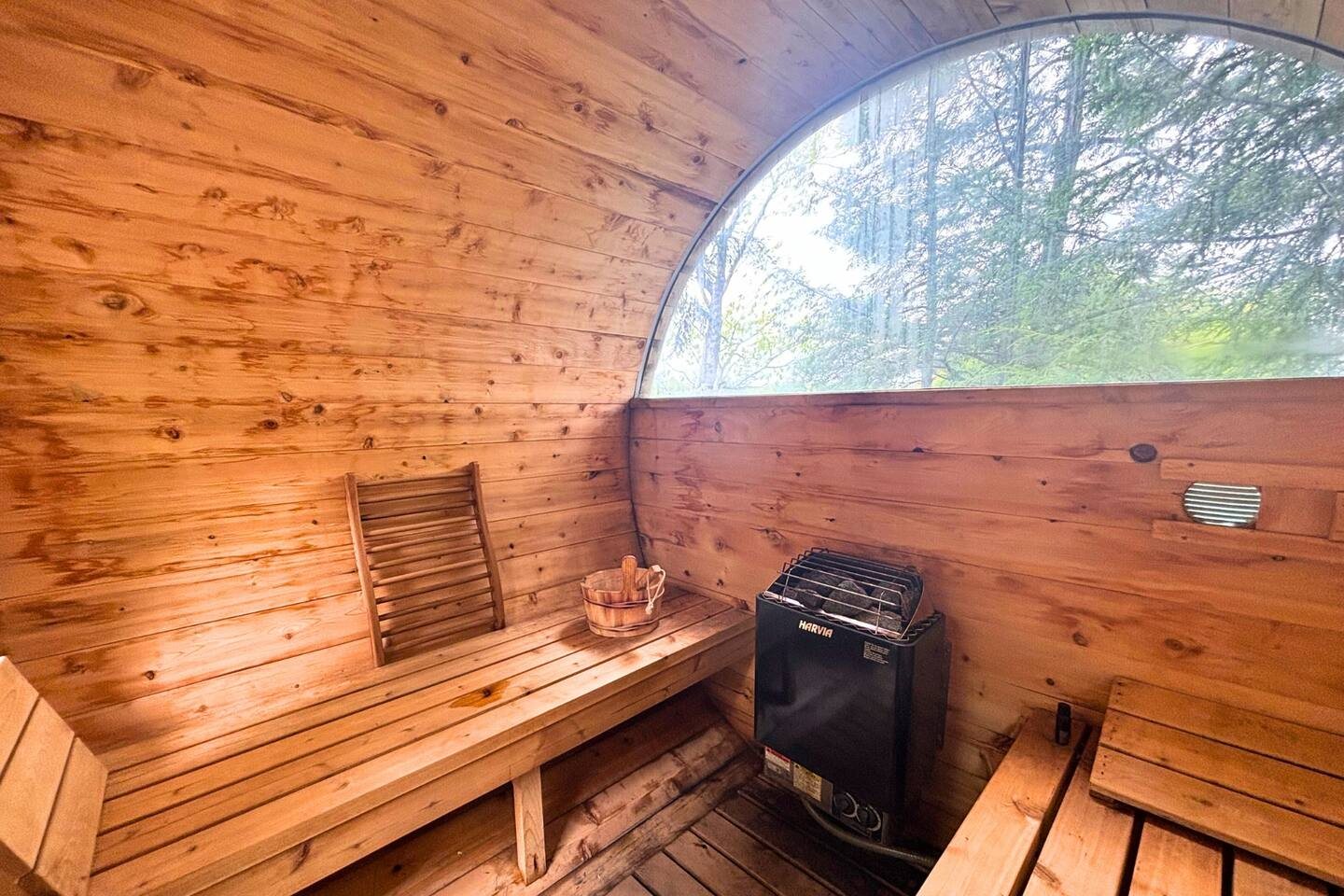
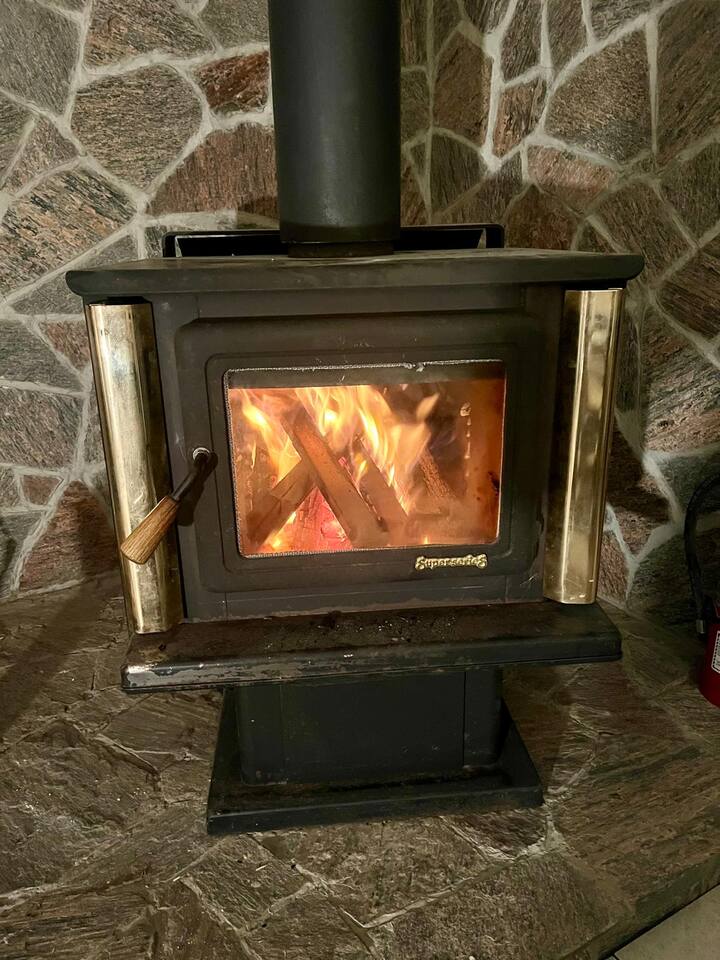
That gives you a simple brief for the winter version of your listing: show the fire, the sauna or the hot tub, the warm living room and the clear path to the door, and put them up front.
The one-line rule: in winter, lead with how guests warm up. Then make sure every photo shows something that really works in winter.
How to refresh your Airbnb listing photos for winter: 5 steps
You do not need a new professional shoot to do this. You need your phone, one bright afternoon and about an hour in the listing editor.
1. Look at your listing like a guest
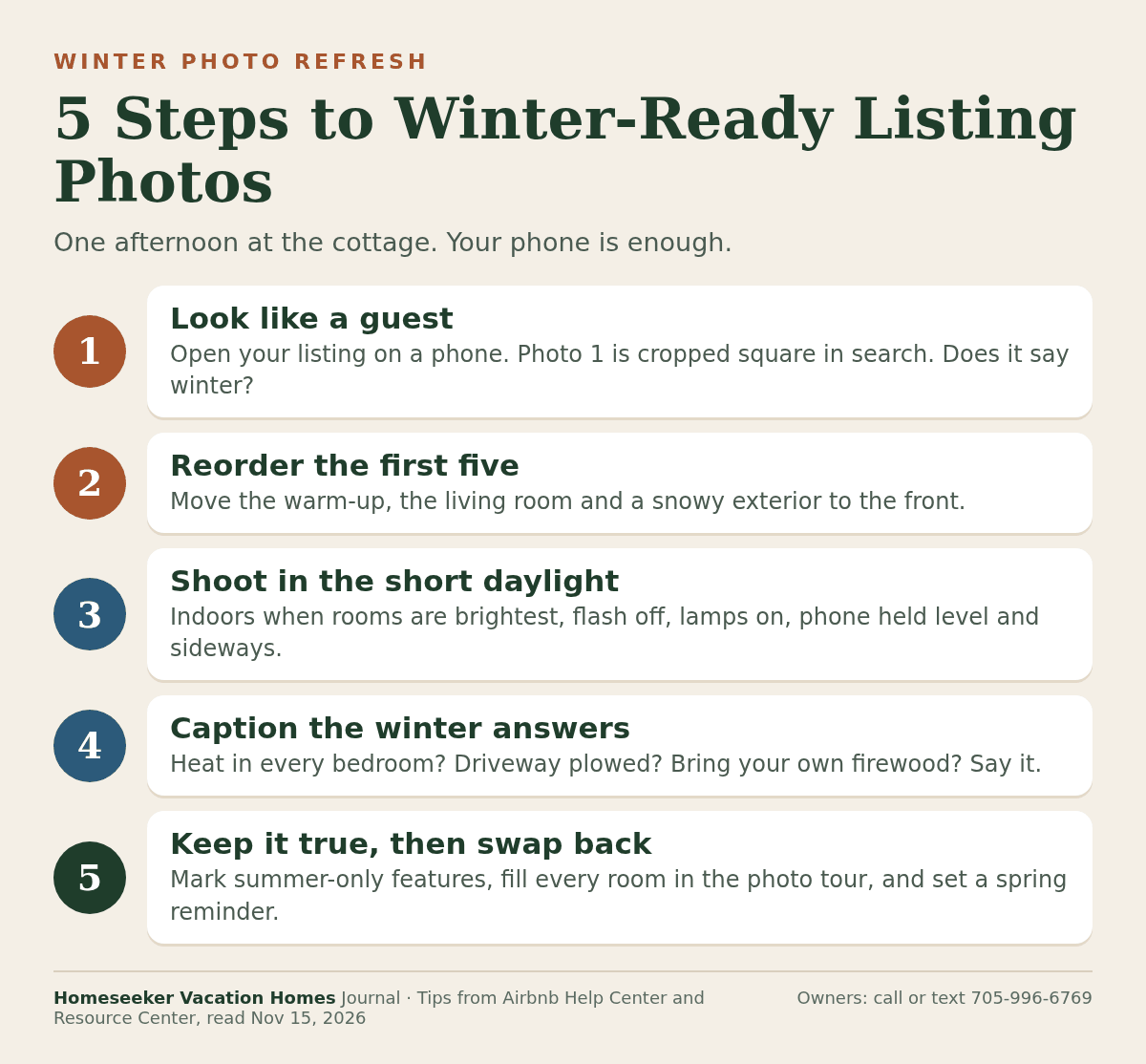
Open your listing on your phone, the way a guest on the couch would. Airbnb's photo tips explain that photos are cropped into squares in search results. Ask yourself one question about that square: does it say winter, or does it say July?
2. Reorder your first five photos
In the photo tour, Airbnb lets you drag the first five photos into the order you want, and you can pick any photo and set it as your Airbnb cover photo. Airbnb notes changes can take up to 30 minutes to appear. A winter order might be: the warm-up, the living room with the lamps on, the outside of your cottage in snow with a clear path, a warm bedroom, then your evening space, like a games room or a big table.
3. Shoot in the short winter daylight
Winter days are short in cottage country. On December 21, 2026, the sun rises at 7:53 AM and sets at 4:36 PM in Huntsville, according to timeanddate.com. That is about 8 hours and 44 minutes of daylight to work with.
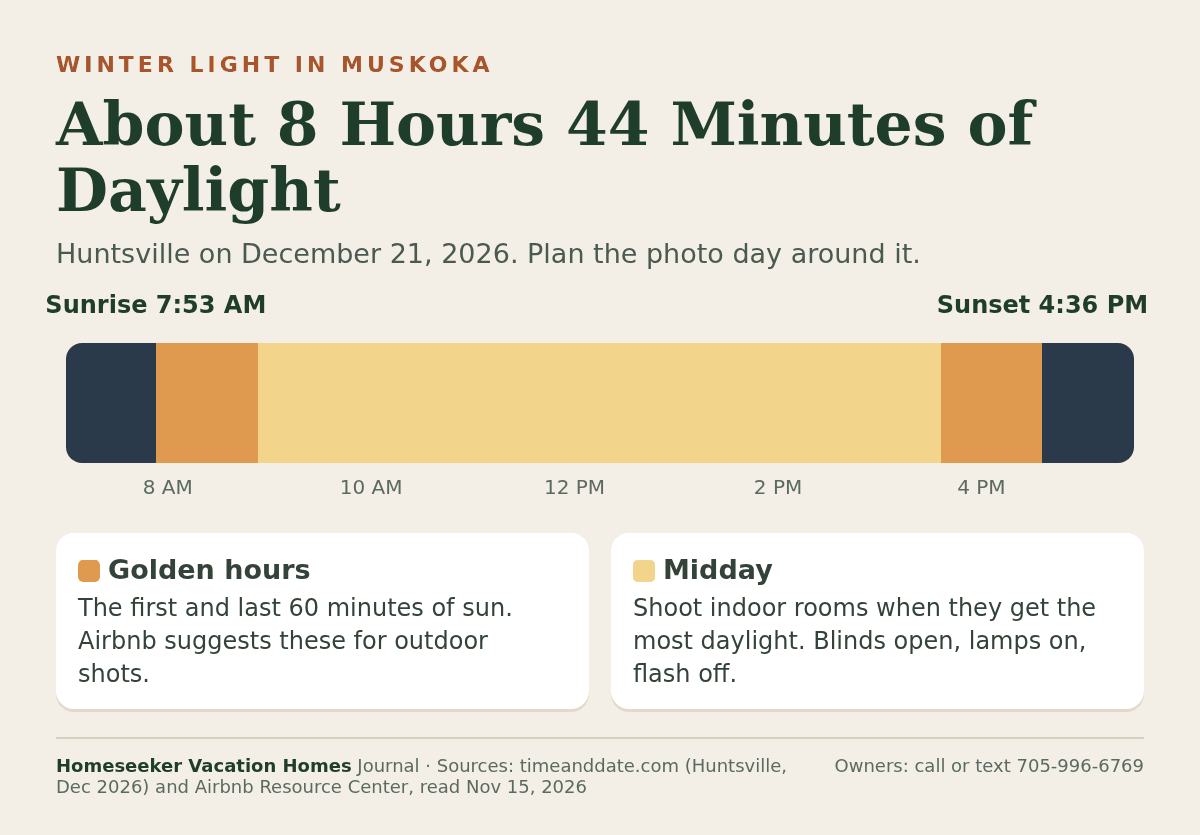
Airbnb suggests taking outdoor photos in the golden hours, the 60 minutes after sunrise and before sunset, and indoor photos when your rooms get the most daylight. Its tips also say to turn off the flash, open the blinds, turn on the lights if it is still dark, hold the phone level and shoot horizontally. Airbnb's photo guidelines ask for photos of at least 1024 by 683 pixels, and its photo tips recommend 1200 by 800 or larger.
4. Caption the winter answers
Airbnb recommends captions that explain what a photo doesn't show. In winter, that is where you answer the questions guests would otherwise message you about. Is every bedroom heated? Is the driveway plowed? Does the sauna run in January? Do guests bring their own firewood?
Only caption what is true for your cottage this winter. If you are still sorting out who clears the snow, our winter walkway plan for rental cottages walks through it.
5. Keep it true, then swap back in spring
Airbnb says every room or space needs at least one photo to appear in your photo tour, so fill any gaps. Keep your summer photos further back and caption seasonal features clearly, so no one expects a dock that is closed for the season. Then set a reminder to move your summer photos back to the front in spring.
Airbnb's photo tour sorts photos into rooms automatically. Our post on the Airbnb photo tour for cottage listings explains how to keep control of the order.
Want a second set of eyes on your winter listing photos? Call or text 705-996-6769 and we'll go through them with you.
Airbnb listing photos: quick answers
What size should Airbnb listing photos be?
Airbnb asks for at least 1024 by 683 pixels. Its photo tips recommend at least 1200 by 800 pixels, with file sizes up to about 10 megabytes.
Should Airbnb photos be portrait or landscape?
Landscape. Airbnb says horizontal photos work better because search results crop images into squares and the listing page shows photos in landscape.
How do I change my Airbnb cover photo?
Open the listing editor, go to the photo tour, choose All photos, pick the photo and select Make cover photo. Airbnb says the change can take up to 30 minutes to show.
Should I add snow photos to my cottage listing?
Yes, if they are real photos of your place and show it as guests will find it. A clear path and a lit window say more than a postcard view.
Where we help cottage owners
Winter photos are one part of keeping a cottage earning in the quiet months. Our owner's winter plan for monthly cottage rentals covers the rest, and if your family still wants its own weekends, read how to rent out your cottage and still use it.
We offer Muskoka cottage rental management and work with owners across cottage country, including Parry Sound cottage rental management, Georgian Bay cottage rental management and Lake Simcoe cottage rental management. See how we present homes like Over the Moon (Bala) and Sunrise Vista (Brandy Lake). Owners and guests give us 4.9 stars across 100 Google reviews.
Your listing, dressed for the season
Your cottage changes with the seasons. Your listing can too. Put the warm-up first, show the path to the door and answer the winter questions in your captions. The guest scrolling in December will see a place they can picture themselves in, tonight.
About this guide: the first-five-photos and cover photo guidance, photo tour steps and the 1024 by 683 pixel minimum are from Airbnb Help Center articles 477 and 746. The golden hours, horizontal photos, square crops in search, flash, captions and 1200 by 800 pixel recommendation are from the Airbnb Resource Center article "How to take great photos for your listing" (updated November 8, 2024). Huntsville sunrise and sunset times for December 21, 2026 are from timeanddate.com. The wishlisted cabin titles are from the Airbnb Newsroom article published January 14, 2026; the feature count is our own. All sources read November 15, 2026. Cottage details are from our property records.


